
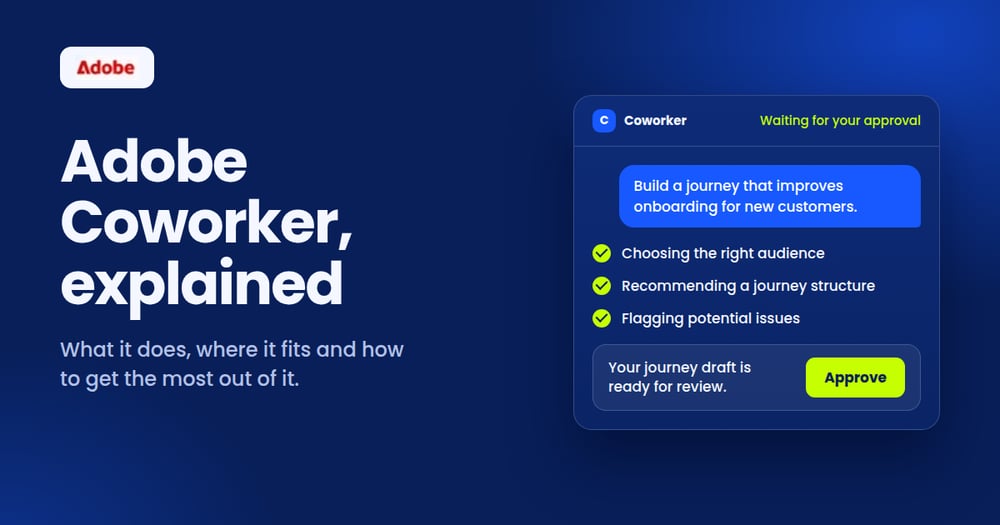
Adobe Coworker, officially Adobe CX Enterprise Coworker, is an AI-powered teammate built into Adobe Experience Cloud. You tell it the goal in plain language, and it works across your Adobe tools to get there. Nothing goes live without your approval.
Picture a new hire who already knows your tools, never forgets a brief and always checks with you before pressing publish. Adobe has built that teammate. Whether it becomes your star performer depends on how well you onboard it, and that is where Axeno comes in.
What is Adobe Coworker?
Adobe introduced CX Enterprise Coworker at Adobe Summit 2026 as the next step beyond AI Assistant. It lives inside the Experience Cloud products you already license, and it also plays well with other AI platforms, including those from Anthropic, Google Cloud, Microsoft, OpenAI and Amazon Web Services.
Adobe describes Coworker as always on and always learning. It picks up how your team works, finds its own way around blockers, and keeps people in the loop at every important step.
What Adobe Coworker can do
- Chat: the everyday conversation. Ask for insights, content or analysis in natural language and skip the hunt through menus and dashboards.
- Campaigns: the launch pad. Describe your goal, upload an audience, and Coworker drafts on-brand assets, a campaign plan and a mapped customer journey from a single prompt.
- Projects (coming soon): the project lead. Set a goal and Coworker coordinates people and agents to carry the work from planning to delivery.
- CX Coworker Gateway: the front door that lets Coworker reach tools such as Real-Time CDP, Journey Optimizer, Customer Journey Analytics, Adobe Analytics and Workfront.
A day in the life: five jobs Coworker takes on
Adobe groups Coworker's daily work into five jobs. Each one turns a stretch of multi-screen effort into a conversation that ends with something you can review and approve.
|
The job |
What you ask, and what you get back |
|
Audiences |
Describe who you want to reach. Coworker checks your customer data, spots overlap between segments and returns an audience that is already sized and validated. |
|
Journeys |
Share a goal, like smoother onboarding or fewer abandoned carts. Coworker suggests the audience and journey structure, flags issues and keeps refining until you say yes. |
|
Insights |
Ask how channels performed. Coworker turns a quarter of data into a stakeholder-ready summary with recommendations and visuals. |
|
Diagnostics |
Ask why engagement dipped or an audience grew. Coworker investigates, surfaces likely causes and suggests next steps. |
|
Operations |
Request a health check. Coworker shows how your datasets, audiences, journeys and destinations connect, then points out gaps worth fixing. |
Not your average chatbot
A traditional AI agent answers one question at a time. Adobe says Coworker can take several actions once a goal is set, acting like a team captain who coordinates the work.
The secret is skills. Think of them as playbooks that show Coworker how to build an audience, optimise a journey or write up insights. Adobe notes that skills can be tailored to the way your organisation works, which makes your own processes the most valuable ingredient in the mix.
Adobe also builds in day-one intelligence, memory and learning, error recovery, human checkpoints and governance.
One teammate, many tools
Every Adobe product plays a part in the customer experience. Coworker is the colleague who walks between them, so an insight in one place can turn into action in the next.
|
Adobe product |
Where Coworker lends a hand |
|
Real-Time CDP |
Brings customer data together and uncovers audience opportunities |
|
Customer Journey Analytics |
Finds friction in the journey and ideas to smooth it |
|
Adobe Analytics |
Turns performance data into patterns and next actions |
|
Adobe Journey Optimizer |
Coordinates personalised journeys across channels |
|
Adobe Experience Manager |
Speeds up content creation, adaptation and delivery (rolling out in stages) |
|
Workfront |
Helps plan and run work with more confidence |
Why marketing leaders should care
- It starts from your goal. Tell it the outcome you want and it works out the steps.
- It frees your people. Routine execution shrinks, so your team spends more time on ideas and decisions.
- It keeps the stack connected. Data, content, journeys and workflows move together instead of sitting in silos.
- It points at results. Tie every use case to a business KPI from day one and you can see what the teammate is worth.
- Access: your Adobe admin needs to grant the right permissions before teams can start.
- Usage: the work Coworker does draws on AI Credits, so it helps to track and plan consumption.
- Coverage: some AI Assistant features have not reached Coworker yet, and customers are moving over gradually.
- Reliability: industry analysts at Futurum point to agent reliability and integration as the hurdles to watch in agentic customer experience.
Before day one: the onboarding checklist
Even a star hire needs a laptop, a login and a clear brief. A few practical points decide how smooth the first weeks feel:
Above all, Coworker works with the data and rules you give it. Scattered customer profiles and fuzzy approval steps will slow even the cleverest teammate down.
How Axeno helps you onboard Adobe Coworker
Axeno is a boutique Adobe Gold Partner and CX-tech consultancy in Noida, working with brands across India and the US. We organise our work around the customer journey, from brand and demand generation to digital journeys, customer insights and lead nurture. Here is how we help you get the most from your new teammate:
- Check readiness. We review your licences, permissions and data quality across Real-Time CDP, Journey Optimizer, Customer Journey Analytics, AEM and Workfront, and show you where Coworker can shine first. We also help you choose between the full enterprise Coworker and Coworker for teams, a focused module for moving quickly from campaign idea to launch.
- Pick the first wins. We choose two or three journeys where faster execution or sharper insight moves a KPI such as lead quality, conversion or retention, and we agree what success looks like before anything is built.
- Tidy the data. We strengthen customer profiles, consent and audience structure, because a teammate is only as good as the information it gets.
- Design the journeys. Personalised, omnichannel journeys are a core Axeno strength. We design the journey logic that Coworker then helps your team brief, build and refine.
- Teach Coworker your playbook. We map how your team briefs, approves, segments and reports, then shape those steps into skills and human checkpoints that fit your brand rules and partner structures.
- Plug it into your stack. We connect Coworker with your wider tools through the CX Coworker Gateway and open standards. Our Software Development Department is CMMI Appraised at Maturity Level 3.
- Set the house rules. We put approval steps, review points and usage monitoring in place, so speed never costs you brand safety or budget control.
- Train your team and measure. We coach your marketing, content and analytics people to work with Coworker, and build reporting in Customer Journey Analytics and Adobe Analytics that ties the work to results.
What this looks like in automotive
Automotive journeys run long, from the first glimpse of a car to the test drive, the purchase and the service visit, often across OEM and dealer systems. Coworker can help your marketing team brief and build campaigns faster. Axeno designs the journey logic, data connections and dealer handoffs that keep that speed from breaking the customer experience. The same approach suits BFSI, luxury, real estate and high-end retail.
Where to start: assess, pilot, scale
A simple three-step path keeps the first move small and the learning fast.
|
Step |
Focus |
What you get |
|
Assess |
Readiness review, data and permissions check, use case selection |
A prioritised roadmap with clear KPIs |
|
Pilot |
Run one or two journeys with Coworker and governance in place |
Proof of value on a live use case |
|
Scale |
Extend to more teams, channels and use cases, with training and reporting |
A repeatable way of working |
Ready to get started with Adobe Coworker?
Adobe Coworker gives your team a faster way to work across Experience Cloud. Axeno helps make sure that speed turns into outcomes you can measure.
Frequently Asked Questions
What is Adobe Coworker?
Adobe Coworker, officially Adobe CX Enterprise Coworker, is an AI-powered teammate built into Adobe Experience Cloud. You describe a goal in plain language, and it works across your connected Adobe tools to get there, with human approval built in.
Is Adobe Coworker the same as AI Assistant or Experience Platform Agents?
Adobe calls Coworker the evolution of AI Assistant and the successor to Experience Platform Agents. Eligible customers are being moved over to Coworker Chat gradually, and a few AI Assistant features have not arrived in Coworker yet.
Which Adobe products does Adobe Coworker work with?
Coworker connects with tools including Real-Time CDP, Experience Platform, Journey Optimizer, Customer Journey Analytics, Adobe Analytics and Workfront. Adobe Experience Manager capabilities are rolling out in stages.
Do we need an Adobe Experience Cloud licence to use Adobe Coworker?
Coworker works within the Experience Cloud products you already license. Your Adobe admin also needs to grant permissions, and the work Coworker does uses AI Credits, so usage should be planned.
How can Axeno help us get the most out of Adobe Coworker?
Axeno is an Adobe Gold Partner and CX-tech consultancy. We check your readiness, choose the first use cases, prepare your data, design the journeys, shape Coworker around your workflows, connect your stack, set the governance rules and train your team.
How is Adobe Coworker different from a traditional AI agent?
Traditional agents handle one task per question. Adobe says Coworker can take multiple actions once you define a goal, using skills tailored to your workflow, with memory, human checkpoints and governance built in.
-1.png)